Introduction
Choosing between MixCertificate vs Canva for certificate creation comes down to understanding a fundamental difference: design flexibility versus workflow automation. While Canva excels as a versatile design platform, Mixcertificate specializes in automated certificate workflows that save hours of manual work.
This MixCertificate vs Canva comparison reveals seven critical differences that determine which tool fits your needs. If you’re issuing more than 20 certificates monthly, the MixCertificate vs Canva debate becomes less about design and more about operational efficiency.
1. Manual Creation vs Automated Generation
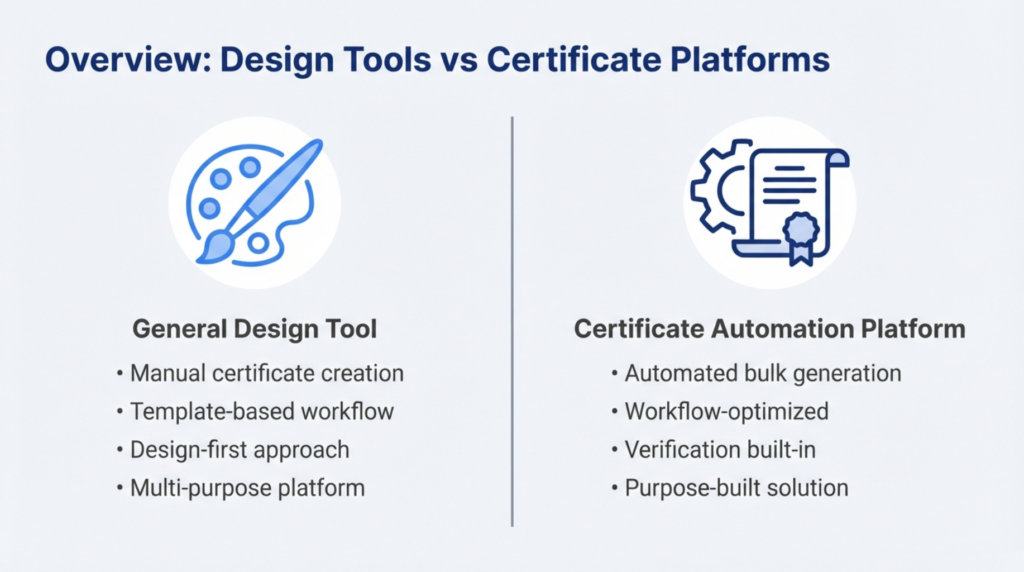
Canva’s Approach: Every certificate requires individual attention. You select a template, manually edit recipient names, adjust dates and course details, download each file separately, and handle distribution yourself. For five certificates, this takes 15-20 minutes. For fifty certificates, expect 2-3 hours of repetitive work.
Mixcertificate’s Advantage: Upload a spreadsheet with all recipient data, select your template, and generate hundreds of personalized certificates in minutes. Mixcertificate automatically populates fields, creates unique files, and can even handle email distribution. The same fifty certificates that take hours in Canva are completed in 5-10 minutes with Mixcertificate.
The MixCertificate vs Canva workflow comparison shows a 90% time reduction for bulk certificate issuance, making automation essential for regular certificate programs.
2. Bulk Processing Capabilities
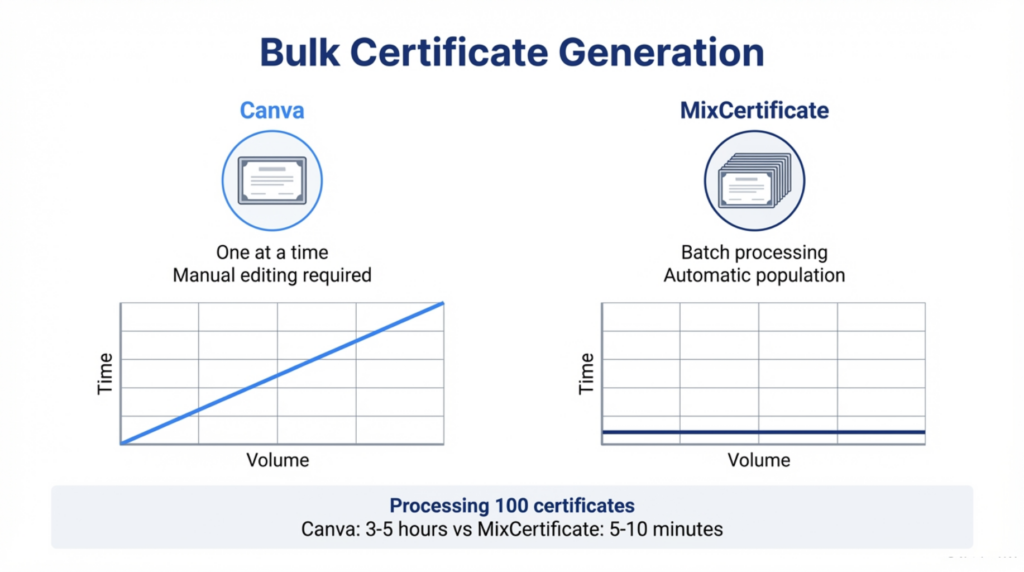
Canva’s Limitation: Bulk generation doesn’t exist in Canva. While you can duplicate designs, each certificate still demands manual editing. Processing 100 certificates means opening, editing, and downloading 100 individual files a workflow that doesn’t scale.
Mixcertificate’s Solution: True batch processing handles unlimited certificate volumes. Whether you’re issuing 50 training completions or 1,000 event certificates, Mixcertificate maintains consistent processing speed. Upload your recipient list once and generate all certificates simultaneously.
Organizations moving from Canva to Mixcertificate typically report eliminating entire days of manual certificate work from their monthly workflows.
3. Verification and Trust Infrastructure
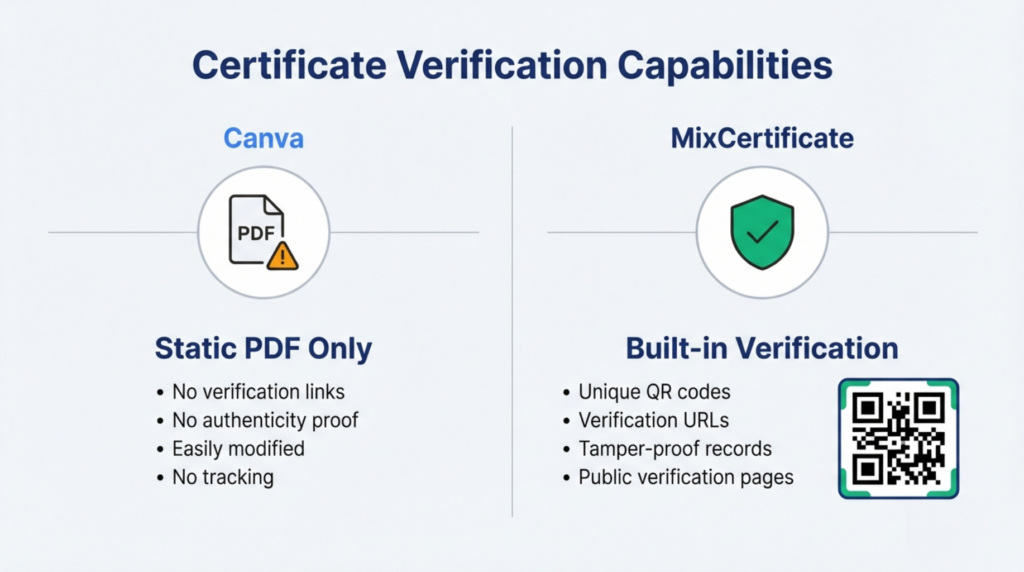
Canva’s Gap: Certificates from Canva are static PDF files without verification capability. Recipients can share them, but employers or institutions cannot confirm authenticity. PDF files are also easily modified using basic editing tools, creating potential trust issues.
Mixcertificate’s Security: Every certificate includes a unique verification URL and QR code linking to a public verification page. External parties scan the code or visit the link to instantly confirm the certificate’s authenticity, issuance date, and recipient details. Mixcertificate maintains these verification records indefinitely unless revoked.
For professional credentials, compliance certifications, or accredited training, the MixCertificate vs Canva verification gap isn’t just a feature difference it’s a fundamental requirement. Employers increasingly expect verifiable credentials, making Mixcertificate essential for legitimate certificate programs.
4. Recipient Record Management
Canva’s Manual Tracking: Canva provides no database or tracking system. Teams maintain separate spreadsheets to record who received certificates, when they were issued, and for what achievements. This manual approach increases error risk and creates information silos.
Mixcertificate’s Automated Database: The platform maintains a searchable repository of all issued certificates with recipient information, issuance dates, credential types, and delivery status. Search by recipient name, date range, or certificate type. Export reports for compliance audits or program analysis.
When evaluating MixCertificate vs Canva for organizational certificate programs, built-in record management eliminates duplicate tracking systems and ensures data accuracy.
5. Workflow Integration Options
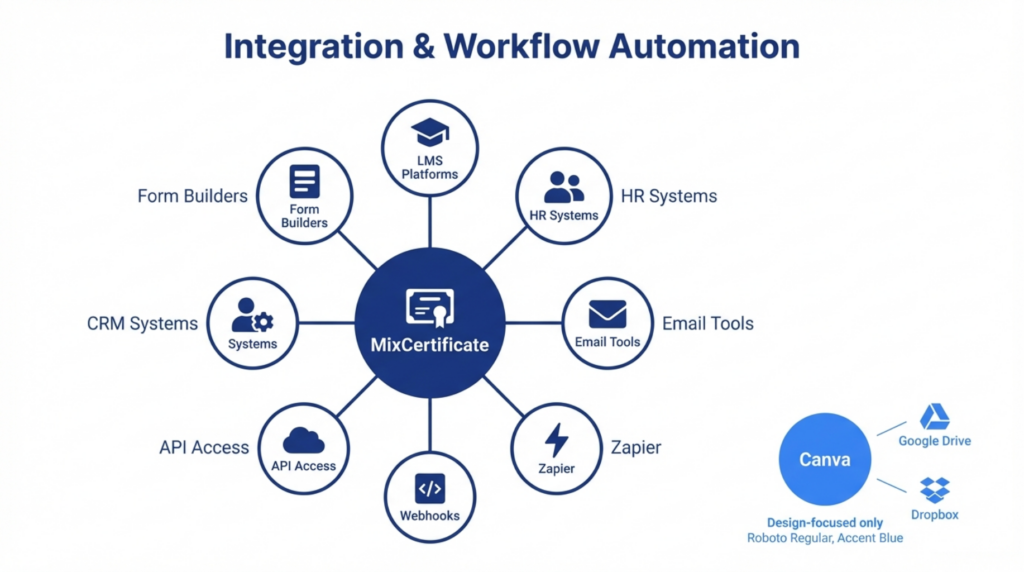
Canva’s Design Focus: Integrations center on design and collaboration Google Drive for storage, Dropbox for cloud access, social media for sharing. These support creative workflows but don’t extend certificate-specific automation.
Mixcertificate’s Automation Ecosystem: Connect with learning management systems (Moodle, Canvas, Thinkific), trigger certificate generation from form submissions via Zapier, sync recipient data from HR platforms, automate email delivery through marketing tools, and build custom integrations using REST APIs and webhooks.
The MixCertificate vs Canva integration comparison reveals that Mixcertificate transforms certificate issuance from a manual task into an automated workflow component. Organizations issue certificates upon course completion without manual intervention.
6. Cost Structure and Hidden Expenses
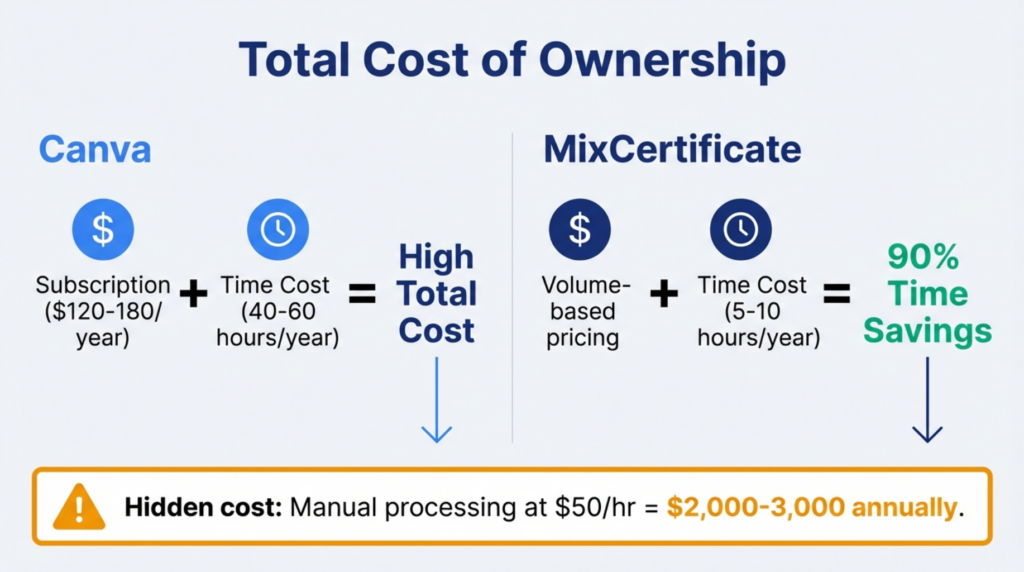
Canva’s Visible Pricing: Subscriptions range from free (limited templates) to $120-180 annually for individuals or $300+ for teams. The subscription cost appears affordable, but operational expenses remain hidden.
The Time Cost Factor: At 2-3 minutes per certificate, processing 100 certificates monthly requires 3-5 hours of staff time. Over a year, this represents 40-60 hours of work. At $50/hour, hidden labor costs reach $2,000-3,000 annually far exceeding any subscription fee.
Mixcertificate’s Value Calculation: While platform pricing follows volume-based models, the ROI appears in eliminated manual work. Organizations issuing 100+ certificates monthly often achieve return on investment within the first quarter through time savings alone.
When comparing MixCertificate vs Canva total cost of ownership, subscription fees matter less than operational efficiency gains and staff time reallocation to higher-value work.
7. Scalability and Growth Readiness
Canva’s Linear Scaling: Time requirements grow proportionally with certificate volume. If 10 certificates take 30 minutes, 100 certificates take 5 hours. Adding more certificates means adding equivalent manual work a model that breaks at scale.
Mixcertificate’s Consistent Performance: Processing time remains stable regardless of volume. Generating 50 or 500 certificates takes approximately the same effort: upload data, select template, initiate batch. The platform scales effortlessly as certificate programs grow.
The MixCertificate vs Canva scalability difference becomes critical as organizations expand training programs, increase event frequencies, or add new certification offerings. Canva requires proportional resource increases, while Mixcertificate handles growth without additional operational burden.
Quick Decision Framework: MixCertificate vs Canva
Choose Canva When:
- Issuing fewer than 10 certificates monthly
- Design customization is your primary priority
- Recipients don’t require verification
- You have available staff time for manual work
- Budget constraints favor free tools
Choose Mixcertificate When:
- Processing 20+ certificates regularly
- Time efficiency drives operational decisions
- Verification and trust are essential
- Integration with existing systems matters
- Scaling certificate programs is planned
- Compliance requires audit trails and verification
Hybrid Strategy: Some organizations design templates in Canva for creative flexibility, then recreate them in Mixcertificate for automated issuance combining design capability with operational efficiency.
FAQs: MixCertificate vs Canva
What makes MixCertificate different from Canva?
The MixCertificate vs Canva distinction centers on purpose: Mixcertificate automates certificate workflows with bulk generation, verification, and record management, while Canva is a general design tool requiring manual creation for each certificate.
Can Canva handle bulk certificate generation?
No. Canva lacks automated bulk processing. Each certificate requires individual manual editing, making it impractical for volumes exceeding 10-15 certificates per batch.
Why choose certificate automation over design tools?
Automation eliminates 90% of manual work, reduces errors, enables verification for credential trust, maintains automatic records, and integrates with learning systems transforming hours of work into minutes.
Is Canva suitable for professional training certificates?
Canva works for occasional training certificates when design matters more than efficiency. However, regular training programs benefit from Mixcertificate’s automation, verification, and tracking capabilities.
Which tool is better for large-scale certificate programs?
Mixcertificate excels at scale, processing hundreds of certificates in minutes with verification and tracking. Canva’s manual approach becomes impractical above 20 certificates per issuance cycle.
Does Mixcertificate replace design tools entirely?
No. The MixCertificate vs Canva comparison shows different purposes rather than direct replacement. Many teams use Canva for template design, then implement those designs in Mixcertificate for automated distribution.
Conclusion
The MixCertificate vs Canva decision depends on your certificate volume, verification requirements, and operational priorities. Canva serves teams prioritizing design flexibility for occasional certificates. MixCertificate serves organizations requiring efficient, verifiable, scalable certificate workflows.
For programs issuing credentials regularly, Mixcertificate’s automation, verification infrastructure, and time savings justify the investment. Explore MixCertificate Pricing Plans for your Organizations and evaluate your monthly certificate volume and available staff time] if you’re spending hours on manual certificate work, Mixcertificate eliminates that operational burden while enhancing credential trust.