If you’re creating certificates in Google Docs, you’re probably familiar with the routine: open the template, copy-paste someone’s name, check the spelling, export as PDF, download, attach to email, send. Repeat fifty times. It works (technically), but there’s a better way.
When small teams decide to switch from Google Docs to MixCertificate, they’re usually experiencing one of two things: they’ve outgrown manual processes (issuing 50+ certificates monthly gets exhausting), or they’ve made one too many embarrassing typos in certificate names. Both are completely normal signals that it’s time for automation.
This guide walks you through why teams start with Google Docs, when manual certificate creation stops working, and how switching to dedicated certificate software transforms hours of tedious work into minutes of automated generation.
Why Teams Use Google Docs for Certificates
Let’s be honest. Google Docs is actually a smart starting point for small-scale certificate creation.
Everyone Already Has Access:
No software purchases, no approval processes, no budget requests. Google Docs lives in your existing workspace. For teams creating occasional certificates (five for a small workshop, ten for quarterly training), this accessibility makes perfect sense. Open a doc, edit some text, download a PDF. Done.
Familiar Interface:
Team members already know how to use Google Docs. There’s no learning curve, no training videos, no figuring out new software. This familiarity matters enormously for small teams without dedicated IT support or technical resources. You can create your first certificate template in fifteen minutes using skills you already have.
Zero Upfront Cost:
Free matters when you’re running lean. Google Docs doesn’t charge per certificate, per recipient, or per user. For organizations testing whether they need certificates at all, starting free makes sense. Only pay for solutions when you’ve validated the need.
These advantages explain why so many teams begin their certificate journey with Google Docs. It’s accessible, familiar, and free. Perfect for getting started, just not for staying there as programs grow.
Limitations of Google Docs for Certificates
Here’s where things get frustrating.
Manual Editing Every Single Time:
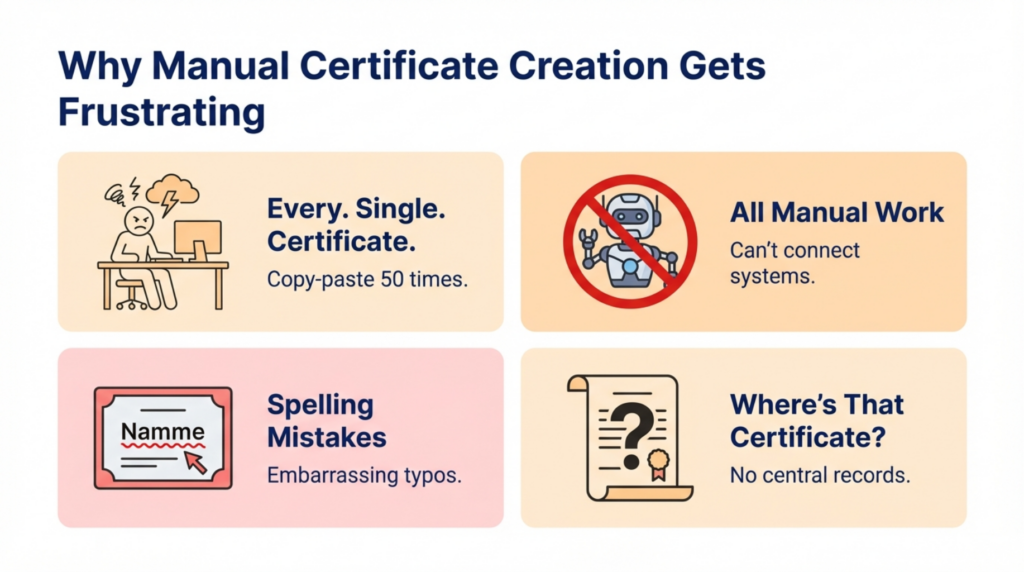
Every certificate requires individual manual editing. Open doc, replace name, change date, update course title. For five certificates? Fine. For fifty? Soul-crushing. For five hundred? Impossible without hiring someone whose entire job is copy-pasting names into documents.
The time math is brutal. If each certificate takes five minutes (realistic when you count opening, editing, downloading, and emailing), fifty certificates consume over four hours. That’s half a workday editing documents instead of doing actual training work.
No Automation Whatsoever:
Google Docs can’t connect to your learning management system. It can’t detect course completions. It can’t trigger automatic certificate generation when someone finishes training. Every certificate requires human intervention. Every. Single. One.
This creates delivery delays. Participants complete training Monday morning but don’t receive certificates until Wednesday afternoon when someone finally has time for certificate processing. Immediate recognition? Impossible.
Error Risk That Keeps You Up at Night:
Manual data entry creates spelling mistakes. Typos in names. Wrong dates. Incorrect course titles. Copy-paste errors putting Bob’s name on Sarah’s certificate. These mistakes happen (we’re human), but they’re embarrassing when discovered and time-consuming to fix.
Imagine emailing fifty certificates, then discovering you misspelled the company name on all of them. You get to redo everything. Fun times.
No Tracking or Verification:
Google Docs certificates are static PDFs. No verification links. No authentication. No central record of who received what certificate when. If someone loses their certificate, you hope you saved a copy somewhere. If someone claims they never received one, you search through sent emails trying to confirm.
When auditors ask for training completion records, you’re manually compiling information from scattered sources. Not ideal for compliance-driven organizations.
Moving from Manual to Automated Certificates
This is where switching from Google Docs to MixCertificate changes everything.
Before: The Manual Nightmare
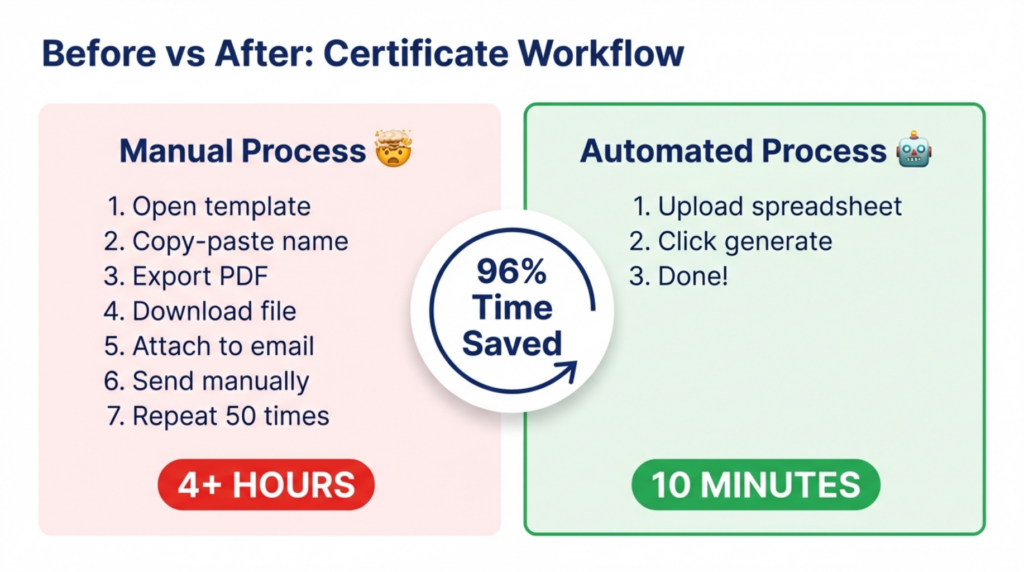
Your current process probably looks like this: Someone finishes training. You receive notification (maybe). You remember to create their certificate (eventually). You open Google Docs. You create a copy of the template. You manually enter their name, being very careful with spelling. You fill in the course name, date, and any other details. You export as PDF. You download the file. You open your email. You attach the certificate. You write a congratulations message. You send it. You hope you didn’t make any typos. You repeat this forty-nine more times.
Four hours later, you’re done. Until next month.
After: The Automated Reality
When you switch from Google Docs to MixCertificate, the process becomes: Upload a spreadsheet with participant names. Click generate. Done.
MixCertificate handles everything: applying data to templates, creating PDFs, sending emails, storing records. Fifty certificates that previously took four hours now take ten minutes. That’s not an exaggeration. Upload data, generate, deliver. Finished.
Even better, you can automate the entire flow. Connect MixCertificate to your learning management system. When someone completes training, MixCertificate automatically generates and sends their certificate. No manual intervention required. Participants receive certificates within minutes of completion while the information is fresh and exciting.
The time savings are obvious. But the real value? You stop worrying about typos, you stop spending hours on administrative tedium, and you can actually focus on improving your training programs instead of being a human copy-paste machine.
How to Switch from Google Docs to MixCertificate
Switching is simpler than you might think. No technical skills required.
Step 1: Export Your Certificate Template
Take your current Google Docs certificate design and save it as an image or PDF. This becomes your design reference. You’re not losing your hard work. You’re upgrading it.
Step 2: Define Your Certificate Data
List what information appears on certificates: recipient names, course titles, completion dates, instructor names. This mapping helps you understand what data MixCertificate needs to generate certificates automatically.
Step 3: Upload Template to MixCertificate
Recreate your certificate design in MixCertificate’s template editor, or upload your existing design as a background image. Add fields where variable information (names, dates) should appear. MixCertificate makes this surprisingly straightforward. Drag fields where they belong, done.
Step 4: Import Recipients
Prepare a simple spreadsheet with columns for names, completion dates, and course titles. Import this into MixCertificate. The platform maps your spreadsheet columns to certificate fields automatically.
Step 5: Automate Future Issuance
For ongoing programs, connect MixCertificate to your learning platform or form builder. New completions automatically trigger certificate generation. Participants receive certificates instantly without you lifting a finger.
The entire setup typically takes an hour or two. After that? Automated forever.
Who Should Switch?
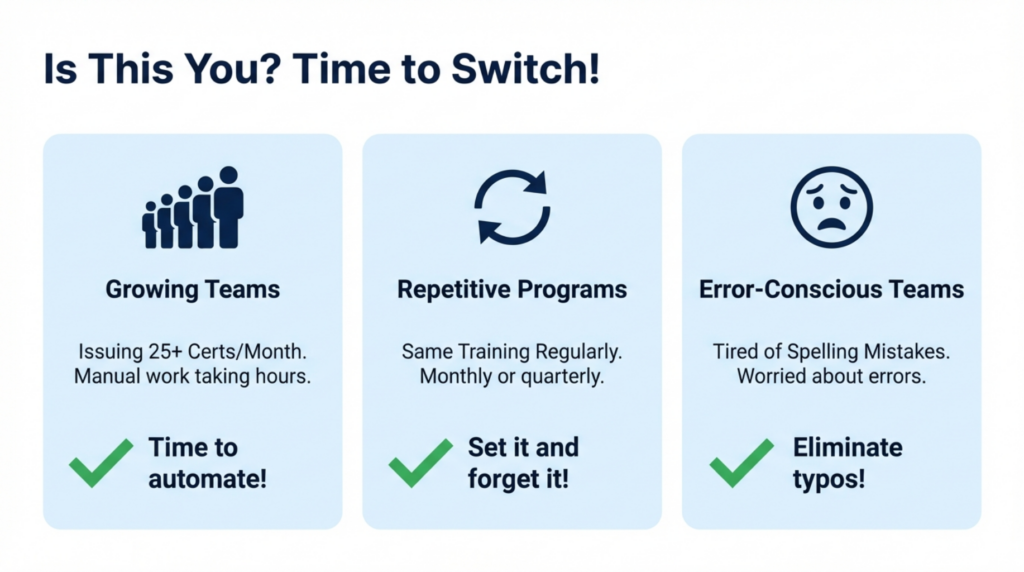
Not everyone needs to switch from Google Docs to MixCertificate immediately, but these situations signal it’s time:
Growing Teams Hitting Scale Limits:
If you’re issuing more than twenty-five certificates monthly, manual processes consume unsustainable time. The inflection point where automation justifies itself varies, but most teams feel pain between twenty-five and fifty monthly certificates. Beyond that, automation isn’t optional. It’s survival.
Repetitive Certificate Issuance:
Running the same training quarterly? Issuing employee onboarding certificates monthly? Any repeating certificate program benefits enormously from automation. The setup investment pays back immediately and compounds over time.
Compliance-Driven Programs:
Organizations needing verifiable training records for regulatory compliance can’t rely on Google Docs PDFs scattered across drives. MixCertificate maintains centralized records with verification systems supporting audit requirements.
Teams Valuing Their Time:
If spending hours on certificates feels like waste (it is), automation returns that time for productive work. What would you do with four extra hours monthly? Improve training content? Support more learners? Actually enjoy your lunch break?
Pros and Cons of Switching
Advantages That Matter:
Time savings are dramatic (typically 90%+ for bulk certificate issuance). Error elimination through automation removes typo anxiety completely. Professional verification features add credential authenticity impossible with static PDFs. Centralized records provide compliance documentation automatically. Integration capabilities enable truly hands-off workflows.
Participant experience improves substantially. Instant certificate delivery upon completion creates positive reinforcement. Professional appearance and verification links increase perceived value.
Honest Considerations:
There’s a learning curve, though MixCertificate designs for beginners specifically. You’ll invest an hour or two for initial setup versus jumping straight into Google Docs. Platform costs money (though free tiers exist) versus Google Docs being free.
For very occasional certificate needs (less than ten annually), manual processes might suffice. But for any regular certificate issuance? The automation advantages overwhelm these minor considerations.
Frequently Asked Questions
Why should small teams switch from Google Docs to MixCertificate?
Small teams switch from Google Docs to MixCertificate to reclaim time spent on manual certificate creation. Manual processes consuming four hours monthly become ten-minute automated workflows. Beyond time savings, automation eliminates spelling errors, provides professional verification features, and creates centralized records supporting compliance. Teams issuing twenty-five or more monthly certificates typically experience immediate positive ROI through time savings alone.
Is MixCertificate difficult to learn for non-technical users?
No, MixCertificate specifically designs for non-technical users switching from manual processes. The platform provides intuitive template editors, straightforward data import from spreadsheets, and helpful documentation for beginners. Most users complete their first certificate generation within minutes of signing up. If you can use Google Docs, you can use MixCertificate. The learning curve is minimal and worthwhile given time savings.
Can teams migrate existing Google Docs certificate designs?
Yes, teams can recreate existing certificate designs when they switch from Google Docs to MixCertificate. Upload current designs as background images then add variable text fields, or use MixCertificate’s template builder to recreate layouts from scratch. Either approach maintains visual consistency ensuring recipients recognize certificates. Most teams complete template recreation within an hour while gaining automation capabilities impossible in Google Docs.
How long does switching from Google Docs take?
Complete switching typically requires one to two hours including template recreation, data preparation, import, and testing. The actual platform setup takes minutes. Most time involves organizing recipient data into spreadsheet format. After initial setup, certificate generation becomes automatic. This small upfront investment saves hours monthly, paying back immediately for teams issuing regular certificates.
Does MixCertificate work for small teams with limited budgets?
Yes, MixCertificate offers free plans specifically for small teams starting automation journeys. Free tiers include professional features like bulk generation, verification, and branding (capabilities impossible in Google Docs regardless of budget). As teams grow, affordable paid plans provide additional volume and features. The platform scales with organizational needs preventing the need for future migrations as certificate programs expand.
What happens to certificates already issued through Google Docs?
Previously issued Google Docs certificates remain valid. Switching platforms doesn’t affect past credentials. Organizations switching from Google Docs to MixCertificate simply begin issuing new certificates through the automated platform while old certificates stay with recipients. Teams can maintain Google Docs certificate records separately or import historical information into MixCertificate for centralized record-keeping if desired.
Conclusion
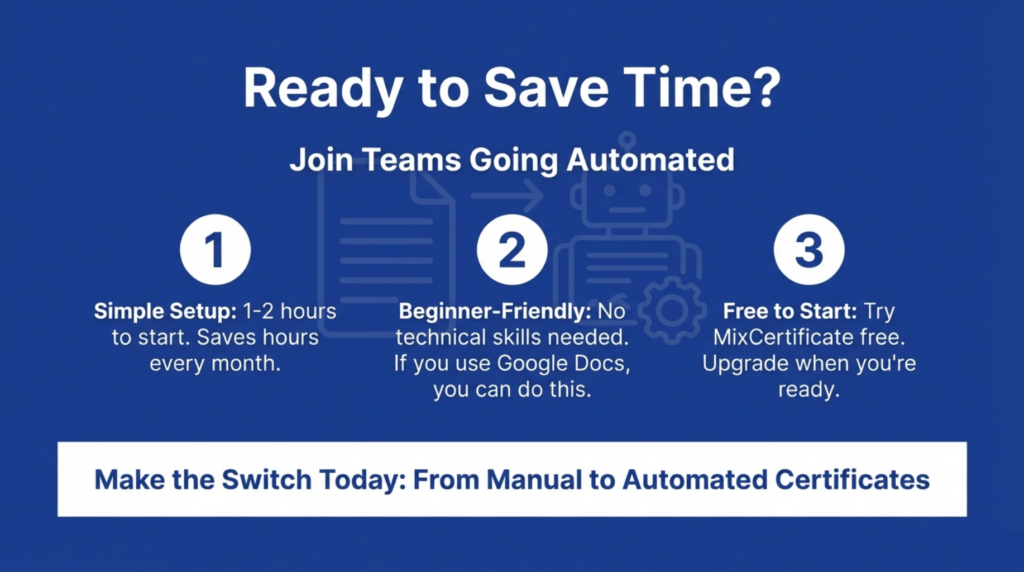
Switching from Google Docs to MixCertificate represents moving from manual to automated certificate workflows. While Google Docs serves teams well initially (providing free, accessible, familiar tools), manual processes don’t scale. Teams issuing regular certificates inevitably hit limits where time consumption, error risk, and tracking impossibilities outweigh Google Docs advantages.
MixCertificate transforms certificate operations through automation eliminating manual editing, preventing errors, providing verification features, and maintaining centralized records. Time savings alone justify switching. Four-hour manual processes become ten-minute automated workflows. Beyond efficiency, automation enables professional features impossible with document editors including instant delivery, verification links, and compliance documentation.
The switching process is straightforward: recreate templates, import data, automate generation. Initial setup requires an hour or two but pays back immediately through saved time and reduced frustration. Explore MixCertificate Pricing Plans for your Organizations and for teams issuing twenty-five or more monthly certificates, automation isn’t luxury. It’s necessity enabling sustainable operations as programs grow.