Introduction
Many course creators, educators, and event organizers begin their certificate journey with Google Docs because it feels familiar and costs nothing. Creating a certificate template in Google Docs seems simple enough. Just design a layout, add placeholder text, and manually replace names for each recipient. This approach works perfectly fine for five or ten certificates.
The problems surface when certificate volume grows beyond a handful. What took 10 minutes for one certificate becomes hours of repetitive work for fifty certificates. Copy-paste errors multiply. Tracking who received which certificate relies on spreadsheets that quickly become confusing. Version control falls apart when multiple people edit templates. Most critically, Google Docs provides no way to verify certificate authenticity, leaving recipients with PDFs that anyone could forge.
This guide explores Google Docs certificate alternatives designed specifically for automated certificate workflows. Understanding Google Docs certificate alternatives helps organizations transition from manual processes to sustainable certificate systems. These dedicated platforms solve the scalability, verification, and tracking problems that make Google Docs unsuitable beyond very small certificate volumes.
Why Google Docs Is Not Ideal for Certificates
Google Docs works beautifully for collaborative document editing but lacks fundamental features that professional certificate programs require.
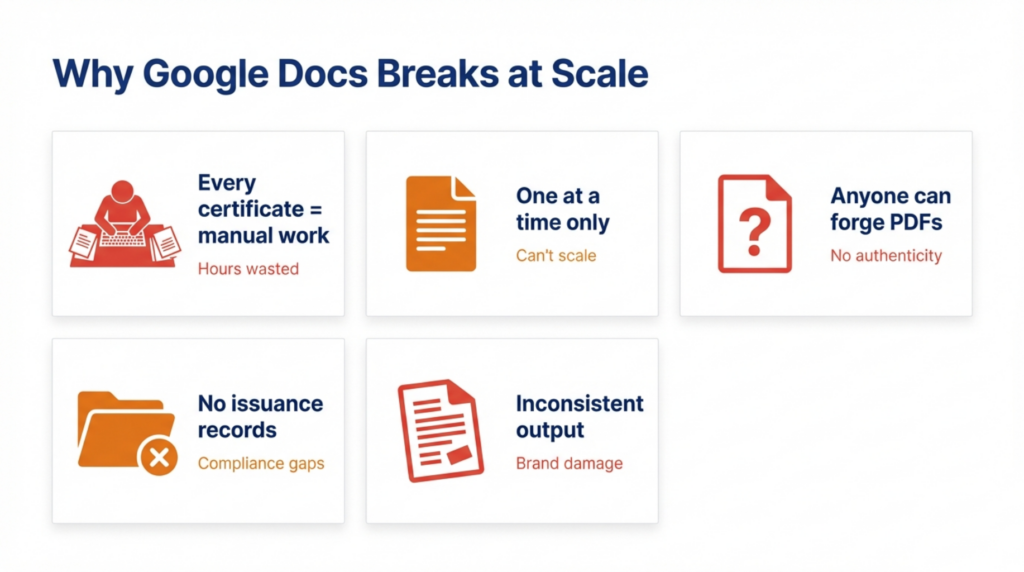
Manual editing remains the core limitation. Every certificate requires opening the template, manually changing recipient information, exporting a PDF, and distributing the file. There’s no automation, no batch processing, and no way to eliminate human touchpoints. This manual approach guarantees that certificate creation consumes staff time linearly with volume.
No bulk generation capability means creating certificates one at a time regardless of recipient count. Organizations issuing certificates to 100 event attendees face 100 individual manual operations. The platform simply wasn’t designed for bulk document personalization, making it fundamentally unsuited to scalable certificate workflows.
No verification infrastructure leaves certificate recipients with static PDFs anyone can duplicate or alter. Employers or institutions wanting to verify certificate authenticity must contact issuers directly, creating administrative burden and verification delays. Professional certificate programs need embedded verification that Google Docs cannot provide.
No tracking capabilities force organizations to build separate systems for recording who received certificates and when. Google Docs offers no built-in way to maintain issuance records, track distribution, or provide analytics on certificate programs. This limitation creates compliance gaps and operational blind spots.
Formatting inconsistencies emerge when multiple people edit templates or when documents render differently across devices and PDF converters. Maintaining brand consistency across hundreds of manually created certificates becomes impossible. Small formatting variations accumulate into noticeable quality problems.
These limitations aren’t flaws in Google Docs itself. The platform excels at its intended purpose. It simply wasn’t built for certificate automation, verification, and management at scale.
Manual Certificate Pain Points with Google Docs
Organizations using Google Docs for certificates encounter predictable operational problems that automated alternatives eliminate.
Copy-paste errors occur constantly in manual workflows. Misspelled names, wrong dates, incorrect course titles, and transposed information plague manual certificate creation. Each error requires creating a replacement certificate and re-sending it, compounding the time investment and frustrating recipients who receive credentials with mistakes.
Time consumption grows unsustainably with volume. Five certificates take about an hour of focused work including setup, personalization, export, and distribution. Fifty certificates consume an entire workday. Five hundred certificates require dedicated personnel doing nothing but certificate production. The linear relationship between effort and volume means manual processes never scale efficiently.
Version control issues arise when teams collaborate on certificate templates. Someone updates the company logo while another person uses an old version. Template changes propagate inconsistently across past and future certificates. Google Docs versioning helps track changes but doesn’t prevent using outdated templates for new certificates.
No audit trail creates compliance problems for organizations needing to prove certificate issuance. Google Docs provides no record of who created which certificate, when it was created, or who received it. Building these records manually through spreadsheets introduces additional work and error opportunities. Regulated environments requiring documented proof of training completion find Google Docs inadequate.
The cumulative effect of these pain points drives organizations toward Google Docs certificate alternatives once volume exceeds approximately 20 to 30 certificates monthly. Organizations searching for Google Docs certificate alternatives typically recognize that manual processes cannot scale efficiently. The transition threshold varies by available staff time and error tolerance, but the pattern remains consistent.
What to Look for in Google Docs Certificate Alternatives
Evaluating Google Docs certificate alternatives requires examining specific capabilities that distinguish automation tools from manual processes. The best Google Docs certificate alternatives provide features that Google Docs fundamentally cannot deliver.
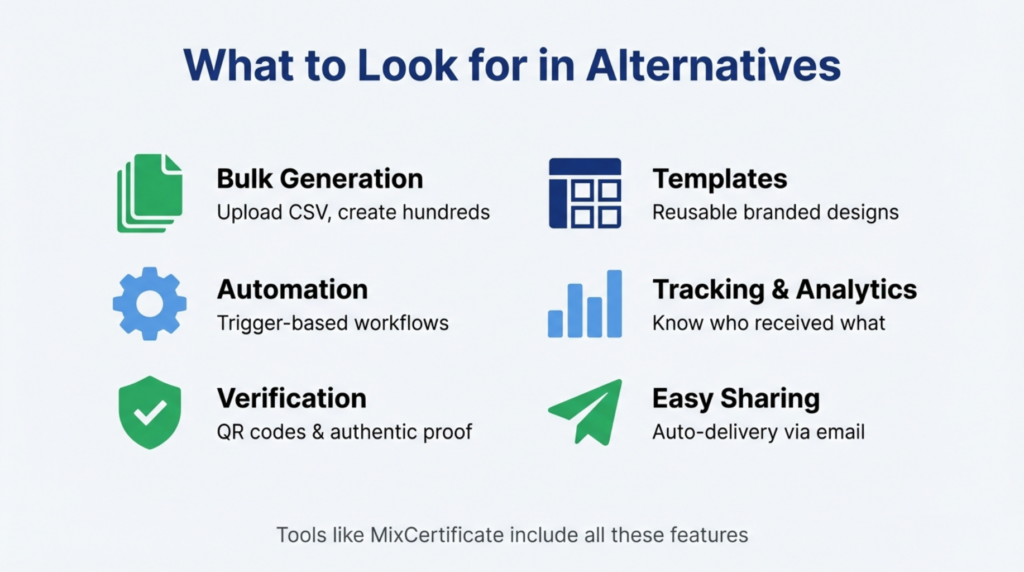
Bulk generation capability should process hundreds or thousands of certificates from a single data source. Look for platforms accepting CSV uploads or direct database integrations that eliminate manual data entry entirely. The best tools generate 100 certificates as easily as generating one.
Automation features enable trigger-based certificate creation without human intervention. When course platforms or event registration systems detect completions, automated tools should generate and deliver certificates instantly. This automation transforms certificates from administrative burden into seamless workflow component.
Verification infrastructure embedded in each certificate allows third parties to confirm authenticity independently. QR codes, unique certificate IDs, or public verification portals prevent fraud while eliminating verification requests to issuers. Platforms like MixCertificate build verification into core functionality rather than treating it as optional feature.
Template systems should balance design flexibility with automation efficiency. Professional platforms provide template editors creating branded certificates while maintaining data field mappings for bulk generation. The template becomes a reusable asset rather than a document requiring manual editing.
Branding consistency through template enforcement ensures every certificate matches organizational standards regardless of who triggers generation or when. Automated systems eliminate the formatting drift that plagues manual processes using multiple people or changing software versions.
Export and sharing options determine how recipients receive and use certificates. Modern platforms deliver certificates via email, provide download portals, or integrate with digital credential wallets. These distribution methods surpass manual PDF emailing through Google Docs workflows.
Organizations should prioritize features matching their specific pain points. Small-scale users benefit most from bulk generation and templates. High-volume operations need full automation and API integration. Compliance-focused programs require verification and audit trails.
Top Google Docs Certificate Alternatives
Several platform categories offer automated Google Docs certificate alternatives, each serving different use cases and technical requirements. When evaluating Google Docs certificate alternatives, organizations should consider their specific volume requirements and technical capabilities.
Dedicated Certificate Software
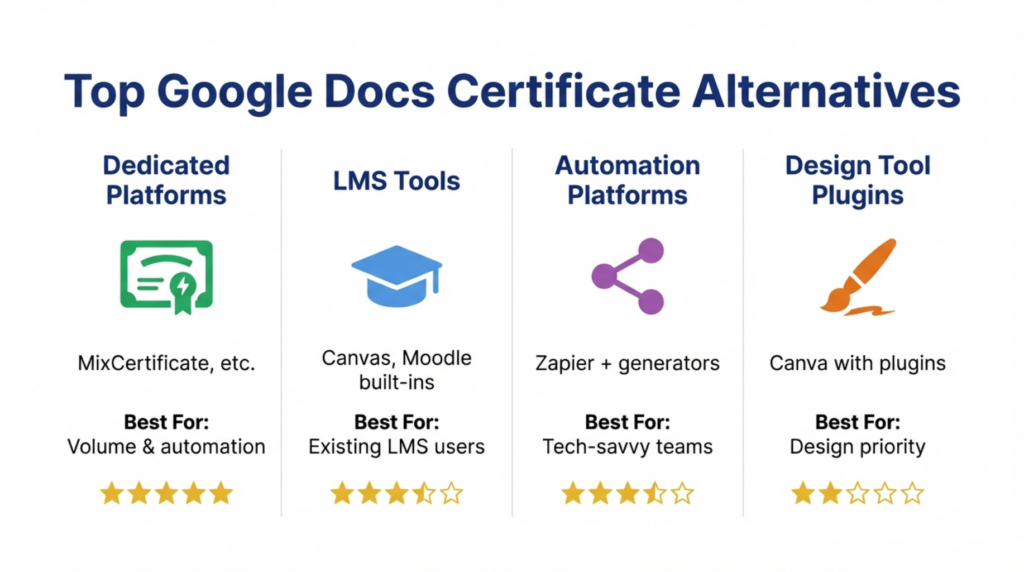
Specialized platforms like MixCertificate focus exclusively on certificate automation, verification, and management. These tools provide the most comprehensive feature sets including bulk generation, automated workflows, verification infrastructure, compliance tracking, and integration capabilities. Organizations treating certificates as core business function benefit from dedicated platforms designed specifically for credential management rather than adapted from general-purpose tools.
LMS-Based Certificate Tools
Learning management systems often include built-in certificate features automating credential issuance upon course completion. Canvas, Moodle, and similar platforms generate certificates automatically within their ecosystems. These work well for organizations already using the LMS for content delivery but typically offer less customization and verification capability than dedicated certificate platforms. Integration with external systems remains limited.
Automation-Focused Platforms
Workflow automation tools can connect Google Forms or spreadsheet data to certificate generation services through integration platforms. While more flexible than pure Google Docs workflows, these solutions still require technical setup and ongoing maintenance. They serve organizations comfortable with workflow automation but represent middle ground between manual processes and dedicated certificate platforms like MixCertificate.
Design Tool Plugins
Canva and similar design platforms offer certificate templates with limited automation through plugins or integrations. These provide better visual control than basic generators but still require significant manual work for bulk issuance. They suit organizations prioritizing design flexibility over operational efficiency.
The platform choice depends on certificate volume, technical resources, budget constraints, and feature priorities. Organizations researching Google Docs certificate alternatives should match platform capabilities to their specific pain points. Organizations issuing more than 50 certificates monthly typically find dedicated certificate software provides the best return on investment through eliminated manual work and reduced error rates.
Automated Certificate Tools vs Google Docs
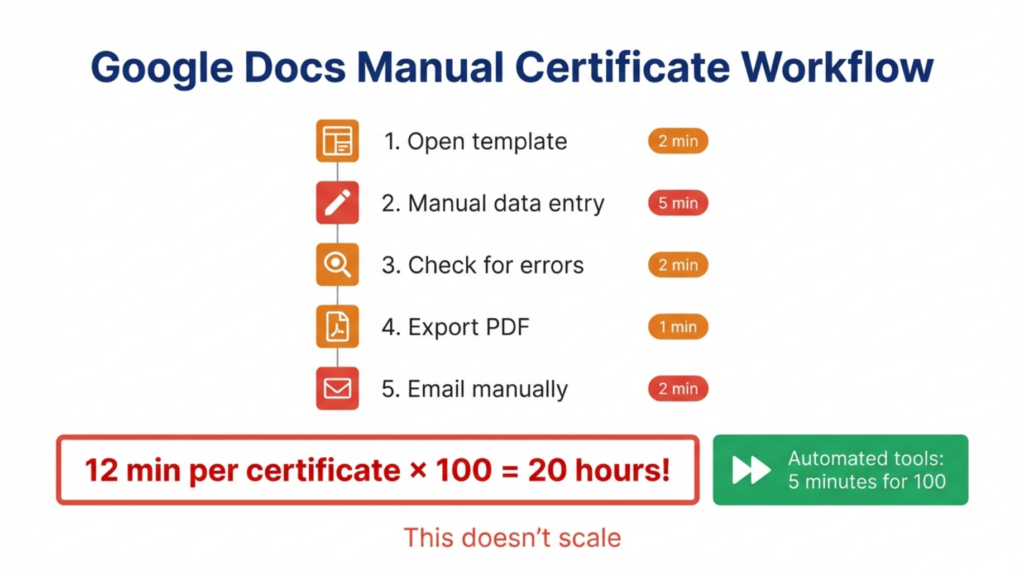
The operational differences between Google Docs and Google Docs certificate alternatives reveal why organizations migrate from manual processes. Comparing Google Docs certificate alternatives to manual workflows shows dramatic efficiency gains.
Workflow comparison shows stark contrasts. Google Docs workflows involve creating templates, manually editing copies, exporting PDFs, and emailing files individually. Each step requires human action. Automated platforms like MixCertificate upload recipient data once, trigger batch generation, and deliver certificates automatically. The entire process completes in minutes without manual touchpoints.
Speed differences become dramatic at volume. Creating 100 certificates in Google Docs takes 8 to 12 hours of focused manual work. Automated platforms process the same 100 certificates in under 5 minutes including data upload and generation. This speed advantage compounds over time as certificate programs grow.
Error reduction through automation eliminates the copy-paste mistakes, formatting inconsistencies, and data entry errors inherent to manual processes. Automated systems pull data directly from authoritative sources, ensuring accuracy across all certificates. Organizations report 90 to 95 percent reductions in certificate errors after switching from Google Docs to automated platforms.
Scalability fundamentally differs between approaches. Google Docs scales linearly, requiring proportionally more manual effort as volume increases. Automated platforms maintain consistent processing time whether generating 10 or 10,000 certificates. This scalability difference explains why Google Docs works initially but fails as programs grow.
The transition from Google Docs to platforms like MixCertificate typically occurs when organizations recognize that staff time spent on manual certificate creation exceeds the cost of automation tools. The crossover point usually arrives between 30 and 100 certificates monthly depending on labor costs and operational priorities.
When Should You Move Away from Google Docs?
Specific indicators signal when Google Docs certificate workflows need replacement with automated alternatives.
Large participant lists exceeding 30 to 50 people per batch make manual processes unsustainable. If you’re regularly creating certificates for entire classes, conference attendees, or training cohorts, automated tools save significant time while improving accuracy.
Frequent certificate issuance throughout the month rather than occasional batches argues for automation. Organizations running ongoing courses, weekly events, or rolling training programs benefit from platforms that generate certificates continuously without manual intervention.
Compliance needs requiring documented proof of certificate issuance and verification cannot be met through Google Docs workflows. Regulated industries, professional certifications, and formal training programs need the audit trails and verification infrastructure that platforms like MixCertificate provide.
Verification requirements emerge when certificate recipients need to prove credentials to employers, educational institutions, or regulatory bodies. If people regularly contact you asking to verify certificates, you need verification infrastructure that Google Docs cannot provide.
Quality control problems from formatting inconsistencies, copy-paste errors, or template version confusion indicate that manual processes have become unreliable. When error rates climb or you’re frequently issuing replacement certificates, automation eliminates these quality problems.
Time investment exceeding 10 hours monthly on certificate creation suggests that automation investment would quickly pay for itself through reclaimed staff time. Calculate time spent on manual certificate work and compare against platform costs to identify the economic transition point.
Organizations don’t need to move away from Google Docs for every use case. Small, infrequent, informal certificate needs still suit manual approaches. However, professional programs with volume, verification needs, or compliance requirements clearly benefit from Google Docs certificate alternatives designed for automation and scale.
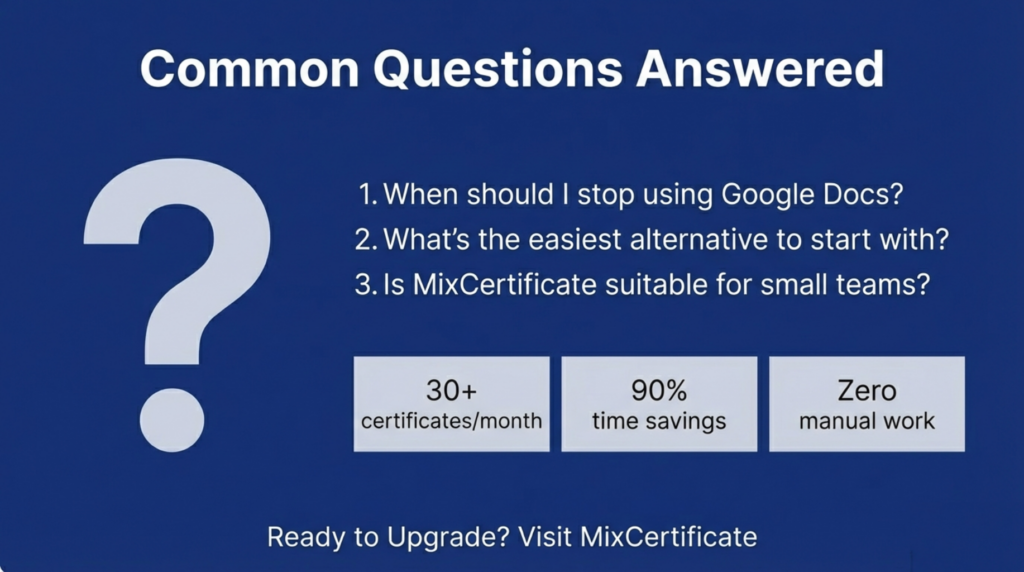
Frequently Asked Questions (FAQs)
What are Google Docs certificate alternatives?
Google Docs certificate alternatives are specialized platforms designed for automated certificate creation, bulk generation, and verification. These tools replace manual Google Docs workflows with systems that process hundreds of certificates from data uploads, provide embedded verification features, and integrate with course platforms or event systems. Platforms like MixCertificate represent purpose-built alternatives addressing Google Docs limitations.
Why is Google Docs not suitable for certificates?
Google Docs lacks automation, bulk generation, verification infrastructure, and tracking capabilities essential for professional certificate programs. Every certificate requires manual editing, making the process unsustainable beyond small volumes. The platform provides no way to verify certificate authenticity or maintain issuance records, creating operational and compliance gaps that dedicated certificate tools address.
Can I generate certificates in bulk without Google Docs?
Yes, automated certificate platforms generate certificates in bulk from CSV files, database connections, or API integrations. Upload recipient data once and the system creates personalized certificates for hundreds or thousands of recipients simultaneously. This bulk capability eliminates the manual work inherent to Google Docs while ensuring accuracy and consistency across all certificates.
Are automated certificate tools better than Google Docs?
Automated certificate tools outperform Google Docs for any organization issuing more than 20 to 30 certificates monthly or requiring verification capabilities. They eliminate manual work, reduce errors, provide verification infrastructure, and scale effortlessly. However, Google Docs remains adequate for very small, informal certificate needs where automation investment doesn’t justify minimal certificate volume.
How do Google Docs certificate alternatives work?
Certificate alternatives work by accepting recipient data through uploads or integrations, applying that data to customizable templates, generating personalized certificates automatically, and delivering credentials via email or download portals. Platforms like MixCertificate add verification features through unique QR codes or certificate IDs, creating authenticated credentials rather than simple PDF documents.
Is MixCertificate a good Google Docs certificate alternative?
MixCertificate specifically addresses Google Docs limitations through automated bulk generation, customizable templates, verification infrastructure, compliance tracking, and integration capabilities. The platform serves organizations that have outgrown manual Google Docs workflows and need professional certificate automation. MixCertificate provides the automation, verification, and scalability that Google Docs cannot deliver, making it suitable for educational institutions, training organizations, event coordinators, and businesses requiring efficient certificate programs.
Conclusion
Google Docs certificate alternatives solve fundamental problems that make manual workflows unsustainable at scale. While Google Docs serves perfectly well for small, informal certificate needs, Explore MixCertificate Pricing Plans for your Organizations issuing certificates regularly or in volume benefit significantly from dedicated automation platforms.
Evaluating Google Docs certificate alternatives requires examining bulk generation capabilities, automation features, verification infrastructure, and integration options that address specific organizational pain points. Platforms like MixCertificate provide comprehensive solutions purpose-built for certificate workflows rather than adapted from general-purpose tools.