Best Certificate Software for Businesses: Features, Use Cases & Comparison
Choosing the best certificate software for businesses has become an important decision for organizations that issue certificates at scale. Whether you are managing employee training, customer certifications, partner programs, or professional events, certificates are no longer just documents they represent trust, credibility, and proof of achievement.
Many businesses still rely on manual processes or design tools to create certificates. While this may work for small volumes, it often leads to inefficiencies, errors, and verification challenges as certificate numbers grow. This article compares different certificate solutions, explains how dedicated certificate software works, and helps businesses decide which option fits their needs.
What Is Certificate Software for Businesses?
Certificate software for businesses is a digital system designed to create, issue, manage, and verify certificates efficiently. Instead of manually designing and sending certificates one by one, businesses use software to automate the entire process.
Most certificate software platforms allow organizations to upload recipient data, apply consistent branding, generate certificates in bulk, and deliver them digitally. Advanced solutions also include certificate verification, record management, and analytics.
The key difference between manual methods and software-based approaches is scale. Manual processes may work for a handful of certificates, but software becomes essential when volume, accuracy, and verification matter.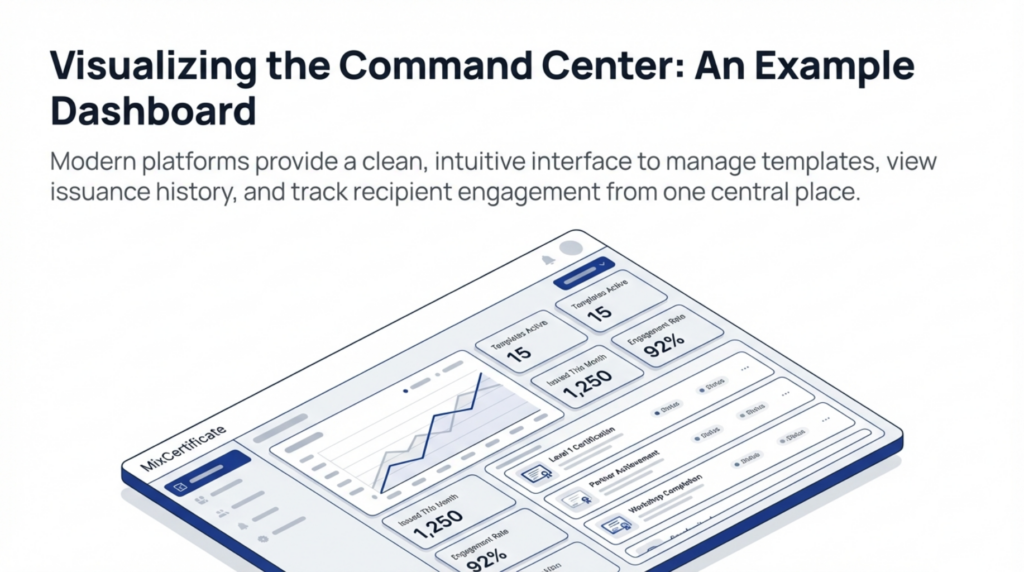
Why Businesses Need Dedicated Certificate Software
As businesses grow, certificate management becomes more complex. Dedicated certificate software helps address common operational and credibility challenges.
Time savings
Manual certificate creation often involves repetitive tasks. Software automates generation and delivery, saving hours of administrative work.
Automation benefits
Bulk certificate generation reduces human error and ensures faster turnaround, especially for large training programs or events.
Consistency and branding
Businesses can maintain consistent layouts, logos, and language across all certificates, reinforcing brand identity.
Verification and trust
Certificate verification features allow third parties to confirm authenticity, reducing fraud risks.
Compliance and record-keeping
Centralized records make it easier to store, retrieve, and audit issued certificates when needed.
Types of Certificate Solutions Businesses Use
For growing teams, choosing the best certificate software for businesses reduces manual work and improves consistency.
Businesses typically rely on one of three approaches, each with its own strengths and limitations.
Design Tools (Canva, Photoshop)
Design tools are often used to create visually appealing certificates. They are flexible aPreview Changes (opens in a new tab)nd familiar to many teams.
However, they are not built for scale. Each certificate usually requires manual editing, exporting, and emailing. Verification and record management are completely absent, making them unsuitable for businesses issuing certificates regularly.
Spreadsheet + Mail Merge
Some businesses combine spreadsheets with mail merge tools to automate basic certificate delivery. This approach offers limited automation and reduces repetitive work.
The main issue is scalability. As certificate volumes increase, managing data accuracy, branding consistency, and verification becomes difficult. There is also no built-in system for certificate validation.
Dedicated Certificate Software
Dedicated certificate software is designed specifically for issuing and managing certificates at scale. These platforms support bulk certificate generation, automated email delivery, centralized records, and verification links.
For businesses that issue certificates frequently or require trust and authenticity, this approach provides the most complete solution.
Feature-by-Feature Comparison
| Feature | Design Tools | Spreadsheet + Mail Merge | Certificate Software |
|---|---|---|---|
| Bulk generation | Limited | Moderate | Yes |
| Automation | No | Partial | Yes |
| Certificate verification | No | No | Yes |
| Email delivery | Manual | Semi-automated | Automated |
| Scalability | Low | Medium | High |
| Branding control | High | Medium | High |
| Record management | No | Basic | Centralized |
Design tools focus on appearance but lack automation. Spreadsheet-based workflows improve efficiency slightly but still struggle at scale. Certificate software combines automation, verification, and management into one system.
The Best Certificate Software for Businesses helps organizations automate issuance while reducing manual errors.
Automation, Speed & Scalability
Automation is one of the strongest reasons businesses adopt certificate software. Manually issuing 10 certificates may take little time, but issuing 1,000 certificates can consume days of effort.
With automated workflows, businesses can generate hundreds or thousands of certificates in minutes. Data is pulled directly from uploaded files or integrated systems, reducing errors caused by manual entry.
As organizations grow, certificate software scales with them. This makes it suitable for long-term programs rather than one-time initiatives.
For growing teams, choosing the best certificate software for businesses reduces manual work and improves consistency.
Certificate Verification & Business Trust
Certificate verification plays a critical role in business credibility. Without verification, certificates can be copied, edited, or misused without detection.
Digital certificate software often includes unique IDs, QR codes, or verification links. Employers, partners, or clients can instantly confirm whether a certificate is genuine.
For businesses, this builds trust and protects brand reputation. It also reduces the administrative burden of responding to manual verification requests.
When evaluating the Best Certificate Software for Businesses, scalability and verification features matter most.
Use Cases for Businesses
Corporate Training & HR
HR teams use certificate software to issue training completion certificates, compliance records, and skill credentials. Automation ensures timely delivery and accurate records.
Customer Certifications
Businesses offering certified products or services rely on certificates to validate customer expertise. Verification ensures only qualified individuals hold active certifications.
Partner & Channel Programs
Partner programs often require proof of training or accreditation. Certificate software helps manage partner credentials across regions and time zones.
Events, Workshops & Webinars
Event organizers issue participation or completion certificates quickly after sessions end. Automated delivery improves attendee experience and reduces follow-up work.
Pros and Cons of Certificate Software for Businesses
Pros
-
Efficient bulk certificate generation
-
Automated delivery and record management
-
Built-in certificate verification
-
Scales with business growth
Cons
-
Requires initial setup
-
May be unnecessary for very low certificate volumes
-
Some platforms have learning curves
Best Certificate Software for Businesses Compared
When evaluating the best certificate software for businesses, it is important to look beyond design. Key factors include automation capabilities, verification features, pricing transparency, and scalability.
Platforms like MixCertificate provide businesses with tools for bulk certificate generation, digital verification, and centralized management. The value lies in reducing manual effort while maintaining trust and consistency.
Rather than focusing on individual features alone, businesses should assess how well a platform fits their long-term certificate strategy.
Which Certificate Software Is Best for Your Business?
For small businesses issuing certificates occasionally, basic automation may be sufficient. Mid-sized companies benefit most from full certificate software with verification and record management.
Large enterprises and training-focused organizations typically require advanced automation, integrations, and scalable verification systems. Choosing software that supports future growth prevents the need for repeated system changes.
Frequently Asked Questions (FAQs)
What is the best certificate software for businesses?
The best certificate software for businesses depends on volume, verification needs, and automation requirements. Businesses issuing certificates regularly usually benefit from dedicated platforms that support bulk generation, verification, and centralized management.
Can businesses automate certificate generation?
Yes, modern certificate software allows businesses to automate certificate creation and delivery. By uploading recipient data, certificates can be generated in bulk, reducing manual effort and errors.
How does certificate verification work?
Certificate verification typically uses unique IDs, QR codes, or verification links. These allow third parties to confirm certificate authenticity through an online certificate platform.
Is certificate software better than design tools?
Certificate software is better for businesses issuing certificates at scale. Design tools focus on appearance but lack automation, verification, and record management features.
How many certificates justify using software?
If a business issues certificates regularly or expects growth, certificate software becomes valuable quickly. Even issuing a few dozen certificates per month can justify automation.
Does digital certificate software support compliance?
Yes, digital certificate software helps businesses maintain accurate records, making audits and compliance checks easier compared to manual processes. For growing teams, choosing the best certificate software for businesses reduces manual work and improves consistency.